

Connecting to CRTN

News 10/22/2025: RTCM3.1 streams are now available for users with legacy equipment. To access an RTCM3.1 stream just change the mountpoint to XXXX_RTCM3P1 instead of XXXX_RTCM3, where XXXX is the station code. Everything else is the same.
Access: click here for the current list of stations and coordinates

CRTN is divided into four subnetworks according to California Coordinate System (CCS83) zones, accessed through the following IP 132.239.152.4 and ports:

Zones 1-2, Northern California: Port 2102 (updated 07/30/2025)

Zones 3-4, Northern California: Port 2103 (updated 11/22/2024)

Zone 5, Southern California: Port 2104 (updated 11/01/2024)

Zone 6, Southern California: Port 2105 (updated 07/30/2025)

Quick Guide:

  1. Must support NTRIP connection
  2. Username / password ARE case sensitive
  3. Base station data type is RTCM3
  4. Make sure you have the latest firmware in your RTK receiver
  5. Make sure you have an updated NGS antenna calibration file

For CRTN Connection assistance and examples:

  1. Overview (pdf)
  2. Technical details (pdf)
  3. RTK surveying (pdf)
  4. Troubleshooting tips (pdf)
  5. North American Vertical Datum of 1988 (NAVD 88) versus California Orthometric Height (COH) (pdf)

Using CRTN with DJI Phantom 4 RTK Drone:

CRTN Status Map - updated every 5 minutes

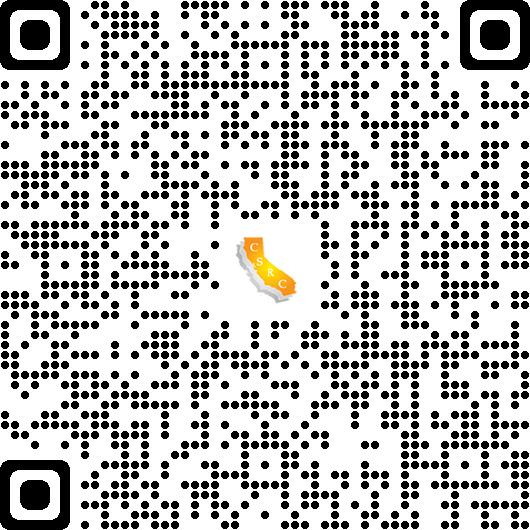
The CSRC 2017.50 map is also accessible via QR code. Use the QR code below. (If needed, instructions are available here.)
Carlson Software Video - Configuring Receiver on Real Time Networks

Leica Cheat Sheet from Jason Paris 

Trimble Videos from Greg Hazelquist (CSDS):

Other CRTN Related Videos:

CRTN NTRIP account details:

  • Connection to CRTN requires an NTRIP Username and Password and can be requested by registering at: https://www.surveymonkey.com/s/CRTN_Registration ($100 processing fee, exempt for universities and schools). Username and Password ARE case sensitive. The data stream format is RTCM 3.0. Once you’ve made a successful connection, your data controller will display a list of CRTN base stations for you to choose. If possible, choose the closest base station.

More information on NTRIP can be found at: http://igs.bkg.bund.de/ntrip/ntriphomepage

It may take at least 7 days to receive a CRTN NTRIP login and password. Once you receive your account information, it may take an additional 3-5 business days to troubleshoot connection issues with your instruments. Test your instruments with your CRTN NTRIP account before going out in the field.

CRTN base stations broadcast CSRS Epoch 2017.50 (NAD83) positions.

RTK Rover Equipment Settings:

Your RTK equipment must have and support the following items:

  • Dual Frequency GPS or GNSS receiver (L1 & L2)
  • Internet access modem (cell phone, MiFi device, etc.)
  • Support NTRIP connection
  • Support RTCM 3.0 data format

Many of the basic RTK settings may be found on the following presentation at: http://sopac-csrc.ucsd.edu/wp-content/uploads/2019/11/Connecting_to_CRTN_Resource_11-14-19.pdf

Email Updates:

In order to receive updates about the status of CRTN, you will be automatically subscribed to the CRTN Community Notices email list when you receive your CRTN login. Approximately every one to four months, you may receive an email update. If you wish to unsubscribe, please email Maria Turingan at mrturingan@ucsd.edu.

CSRC Participation:

CRTN is part of a larger organization, the California Spatial Reference Center (CSRC)

To receive CSRC email updates and meeting information, please subscribe by emailing Maria (mrturingan@ucsd.edu). During the CSRC semi-annual meetings, generally in April/May and October/November and alternating between Southern and Northern California, we give presentations and updates about CRTN.

Give a Gift to CRTN. Please do not include any comments online under special instructions. If you have instructions or comments, please email your gift confirmation with your comments to Maria (mrturingan@ucsd.edu).